
🌟 New Year Offer 🌟
Celebrate 2026 with 30% OFF on all products! Use code: NEWYEAR2026. Hurry, offer ends soon!
Master the art of professional-grade financial modeling to bridge the gap between theory and practice, securing your seat at the strategic decision-making table.
File Size: 2.36 GB.
Josh Aharonoff – Financial Modeling Fundamentals Course

Transform Your Finance Career With Practical Modeling Skills
If you’ve ever wanted to master financial modeling and transform your career WITHOUT spending years figuring it out through trial and error, or wasting thousands on degrees that teach theory but not practical skills…
Then this page will show you a proven system that has helped finance professionals work directly with CEOs, investors, and board members by creating professional-grade financial models that drive real business decisions.
All this without requiring advanced Excel knowledge or previous financial modeling experience.
Can You Relate?
👉 You’re desperate to transition into an FP&A role but keep getting passed over because you lack the practical financial modeling skills that companies actually need…
👉 You find yourself overwhelmed when trying to build three-statement financial models in Excel, unsure if you’re following best practices or creating something that will actually be useful…
👉 You’re already in FP&A but find that your models are rarely implemented or taken seriously because they lack professional polish or fail to tell a compelling financial story…
👉 You’ve created financial models before, but they’re often met with confusion or glazed eyes when presented to non-finance colleagues, making you question your ability to demonstrate your value…
👉 You’ve taken courses that teach theory but leave you on your own when it comes to implementation, making you feel stuck between knowledge and application…
If the answer is “YES!” to any of the above, read this page carefully.
FP&A is one of the best careers out there
… Financial modeling is what sets great finance pros apart from basic number-crunchers.
It’s the key to a better FP&A career that can change your work life.
When you can transform raw financial data into clear, compelling stories about a business’s future, you become invaluable to decision-makers.
I know because I’ve lived it.
I was stuck in a boring accounting job I hated. Long hours. Boring tasks.

Then FP&A changed everything for me.
exciting projects that made my days fly by
Connections with impressive people.
The difference?
A seat at the table where strategic decisions are made versus being the person who just prepares the reports others use.
And if you want to advance your finance career and gain the respect of executives, then there’s no way around it:
you need to master the art of building professional-grade financial models that tell the complete story of a business.
The harsh reality is that many finance professionals feel their modeling skills are holding them back from career advancement.
Many finance workers make basic spreadsheets that miss the big picture. Meanwhile, they watch others with better skills get promoted.
It’s a common experience in finance careers
Sharing insights in meetings that don’t get the traction they deserve because
They lack the clarity and comprehensiveness that comes with proper modeling techniques.
This disconnect between your analytical abilities and your ability to communicate them effectively through models can be frustrating,
…especially when you know you have valuable perspectives to offer.
Course curriculum
Introduction to Financial Modeling
A comprehensive introduction to the course structure and what you’ll achieve. We’ll discuss why financial modeling matters for your career and set expectations for your learning journey.
🎥 Course Introduction and Preview
🎥 What Is a Financial Model and Why Do You Need It?
Refresher on Financial Statements
Master the core financial statements that form the foundation of any model.
Understand how P&L, balance sheet, and cash flow statements work individually and—crucially—how they connect together in the real world.
🎥 What Is a Financial Model and Why Do You Need It?
🎥 Introduction to Profit & Loss
🎥 Understanding the Balance Sheet
🎥 Introduction to Statement of Cash Flows
🎥 Cash vs Accrual Accounting
🎥 How the Balance Sheet and Income Statement Are Connected
🎥 Understanding Debits & Credits
🎥 How Financial Statements Are Affected
Building Your First Financial Statements
Roll up your sleeves and create professional P&L and balance sheet templates from scratch. Learn proper formatting, structure, and calculation methods that reflect industry best practices.
🎥 Building a Summary P&L
🎥 Building a Summary Balance Sheet
🎥 Building a Detailed Profit & Loss
🎥 Building a Detailed Balance Sheet
Building a Statement of Cash Flows
Construct the most misunderstood financial statement—the cash flow statement. Learn the indirect method, proper categorization of cash movements, and how to ensure everything balances correctly.
🎥 The Psychology Behind Cash Flows
🎥 Showcasing the Impact on Cash Flows
🎥 The Mathematics Behind Cash Flows
🎥 Financial Statements and Their Connections
Build a Basic 3 Statement Model
Create your first integrated financial model where all three statements connect properly. See how changes in one statement automatically flow through to the others, and verify everything balances with professional validation techniques.
🎥 Connecting the income statement to the balance sheet
🎥 Creating a statement of cash flows – detailed pt I
🎥 Creating a statement of cash flows – detailed pt II
🎥 Creating a summarized 3 statement model
Financial Modeling Fundamentals
Master the essential building blocks of professional models. Learn about drivers tabs, proper organization, version control, and the foundational principles that separate amateur models from professional ones.
🎥 Section Overview
🎥 Financial Model Structure
🎥 Drivers
🎥 Error checks
🎥 Color coding & auditing
🎥 Template tabs
🎥 Presenting (summary financials)
🎥 Section Overview
Optimize Your Model
Transform your model with professional techniques. Implement color coding systems, create robust error checks, build user-friendly instructions, and design summary dashboards that executives can actually understand.
🎥 Create template tabs
🎥 Create a Drivers tab – Income Statement
🎥 Create a Drivers tab – Balance Sheet
🎥 Set color coding
🎥 Add an error check
🎥 Add an Instructions tab
🎥 Connect Summary Financials
Working with Historical Data
Learn to incorporate real financial data into your model. Master the monthly process of updating with actuals and maintaining model integrity through proper version control and verification.
🎥 Why you should include actuals in your financial model
🎥 Actualizing your model
Financial Projections
Develop various projection methodologies for revenue, expenses, and balance sheet accounts. Create forecasts that tell a coherent story and stand up to scrutiny from stakeholders.
🎥 Chapter Overview
🎥 Projecting Revenue
🎥 Projecting Headcount
🎥 Projecting Profit & Loss
🎥 Projecting Balance Sheet
Build a Full 3 Statement Model: Setting up
Apply everything you’ve learned to create a comprehensive model from scratch. Set up proper structure, drivers, and connections following professional best practices.
🎥 Create a drivers for P&L
🎥 Create a drivers for Balance Sheet
🎥 Link Income Statement to Drivers
🎥 Link Balance Sheet to Drivers
🎥 Create a Statement of Cash Flows
🎥 Summary Financials, Instructions
Build a Full 3 Statement Model: Projections & Actualizing
Complete your model with advanced projections and learn the critical process of “rolling forward” with new actuals each month. Create powerful variance analysis that identifies key business insights.
🎥 Chapter overview
🎥 Set projections – Revenue & COGS
🎥 Set projections – Opex
🎥 Set projections – Other Income/Expense
🎥 Set projections – Assets
🎥 Set projections – Liabilities + Owners equity
🎥 Roll forward – Profit & Loss
🎥 Roll forward – Balance Sheet
🎥 Bonus: Budget vs Actuals Dashboard
Course Recap
Course Wrap Up
🎥 Course Recap and Key Takeaways


But it certainly has some significant advantages like:
It’s comprehensive
You’ll learn every single connection between financial statements, not just isolated formulas or tricks.
It’s practical
Everything is built from real-world scenarios I’ve encountered working with startups and 8-figure companies
It’s efficient
I’ll show you every shortcut I use to cut modeling time by hours, letting you build in days what used to take weeks.
It’s confidence-building
You’ll understand not just what to do but why, so you can answer any question that comes your way during presentations.
Introducing
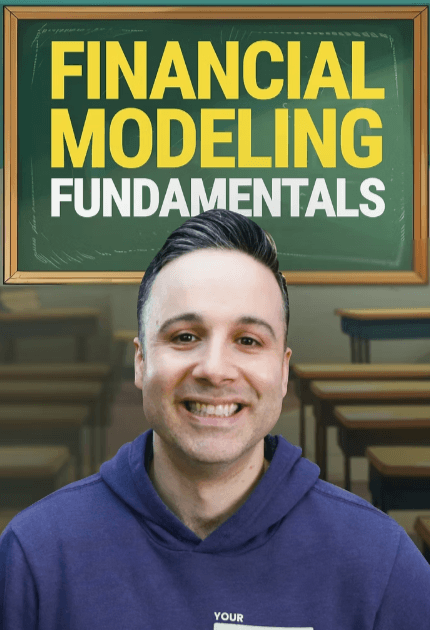
Financial Modeling Fundamentals

Financial Modeling Fundamentals is a comprehensive, step-by-step on-demand course where you’ll build professional-grade financial models alongside me in real-time.
Unlike theoretical courses or confusing templates, we’ll create everything from scratch – connecting income statements, balance sheets, and cash flows into models that tell compelling financial stories.
You’ll learn the exact techniques I’ve used with startups and 8-figure companies, including professional shortcuts, error checks, and presentation methods that make executives take notice.
What you get when you join
The secret to making financial models that executives actually use (instead of ignoring your hard work) by connecting the three financial statements in a way that tells a complete business story
Why most financial models fail and how a simple “drivers tab” can transform your workflow (saving you hours every month while dramatically increasing your model’s credibility)
The color-coding system that instantly communicates to users what they can and can’t modify (preventing the most common model-breaking mistakes before they happen)
Exactly how to build robust error checks that catch problems automatically (so you never again experience that stomach-dropping moment when an executive spots a formula error during your presentation)
The step-by-step process to turn financial numbers into compelling stories that make executives lean forward instead of checking their phones during your presentations
How to easily integrate actual results into your model (making monthly updates a 30-minute process instead of a multi-day headache)
The crucial differences between asset, liability, and equity accounts in projections (and why misunderstanding this creates the cash flow discrepancies that keep finance professionals up at night)
How to build a Budget vs. Actuals dashboard that helps you spot critical business issues before they become emergencies (and shows executives you’re on top of the numbers)
The Excel shortcuts that experienced modelers use to build in minutes what would take beginners hours (and how to use them naturally without having to remember complicated key combinations)
The “name manager” technique that ensures your model always knows where actuals end and projections begin (eliminating the manual work most modelers do every month)
Why most revenue forecasting methods fail and how to build projections that stand up to executive scrutiny (even in industries with complex revenue models)
How to project headcount costs the right way (capturing the hidden expenses that make most personnel budgets dramatically underestimated)

Instructor
Josh Aharonoff
Founder & CEO of Mighty Digits
Hey there! I’m Josh Aharonoff, but you might know me better as “The CFO Guy.”
Like many people, I first started using Microsoft Excel around high school.
But it was only through starting my career at the Big 4, and then eventually opening up my own fractional CFO agency, that I truly mastered it.
Throughout my career, Excel has been my constant companion.
I found myself returning to an Excel sheet every single day.
I’ve used it for everything from basic formatting to building complex reports and dashboards that have helped my clients raise millions in VC funding.
I attribute a large part of my success to Excel.
I love Excel so much that I created a plug-in that gives you access to tons of different templates for finance and accounting.
Now, I spend my days teaching Excel, finance, and accounting to over 400,000 followers on LinkedIn and 100,000 newsletter subscribers.
It’s no wonder Excel has become my favorite tool, and I’m here to make it yours as well.
Course Features
- Lecture 0
- Quiz 0
- Duration 10 weeks
- Skill level All levels
- Language English
- Students 58
- Assessments Yes